01
Upload a photo or statement
Add a receipt photo, transaction screenshot or statement. Let recognition do the first pass.
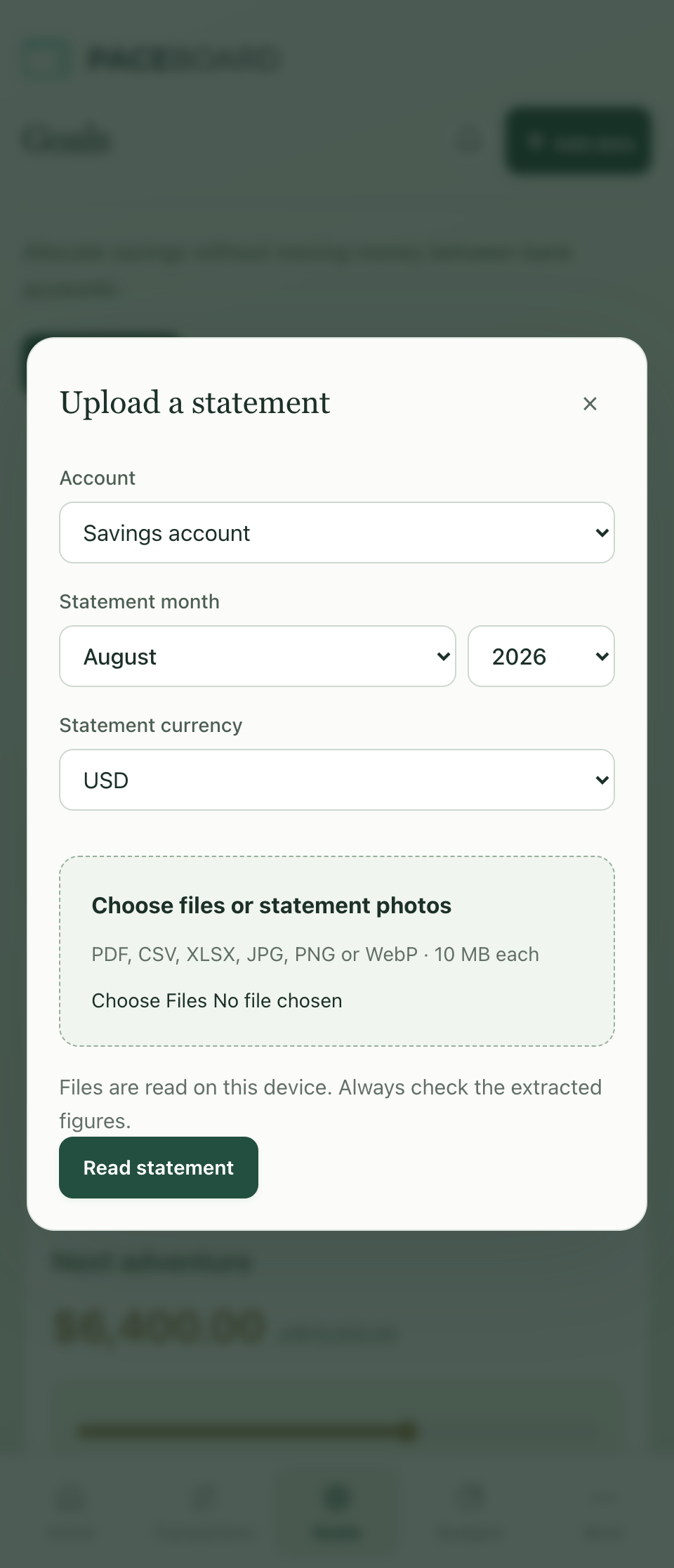
Turn photos and statements into organised income and expenses—and progress towards your goals. All offline.
See how it works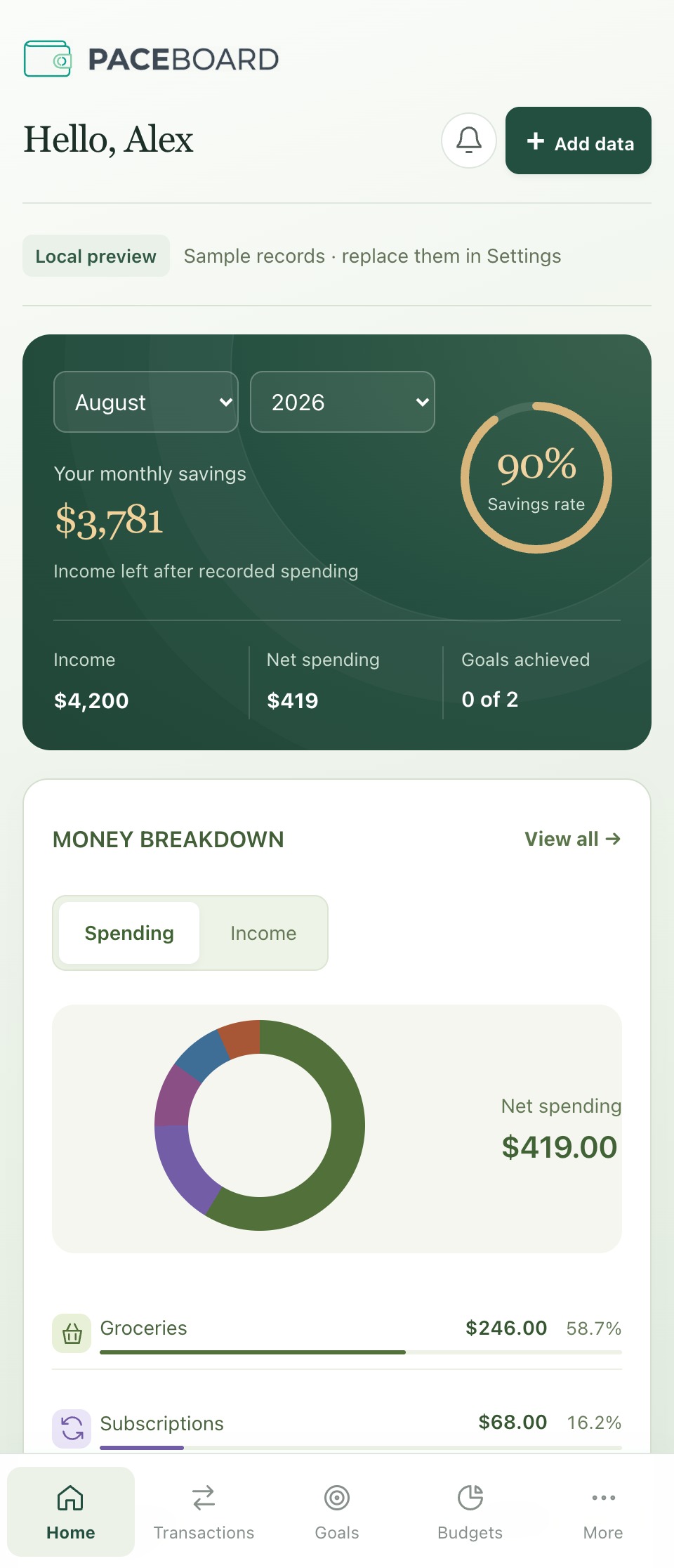
The real Paceboard interface. Illustrative data. Screenshots shown in English.
Start with what you already have. Keep the final say over every transaction.
Add a receipt photo, transaction screenshot or statement. Let recognition do the first pass.
Review recognised income and expenses. Organise transactions with categories and filters.
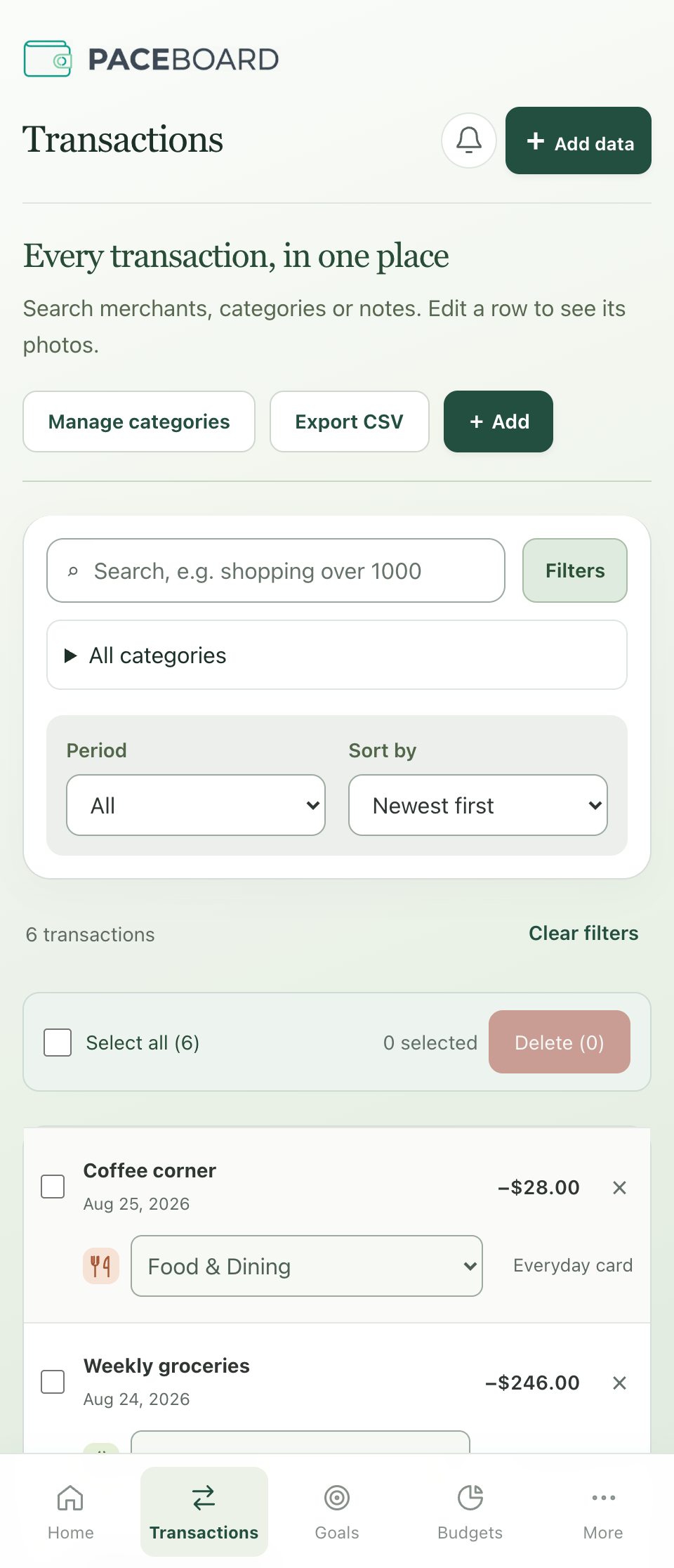
Give your savings a purpose. Set a target, allocate savings and follow your progress.
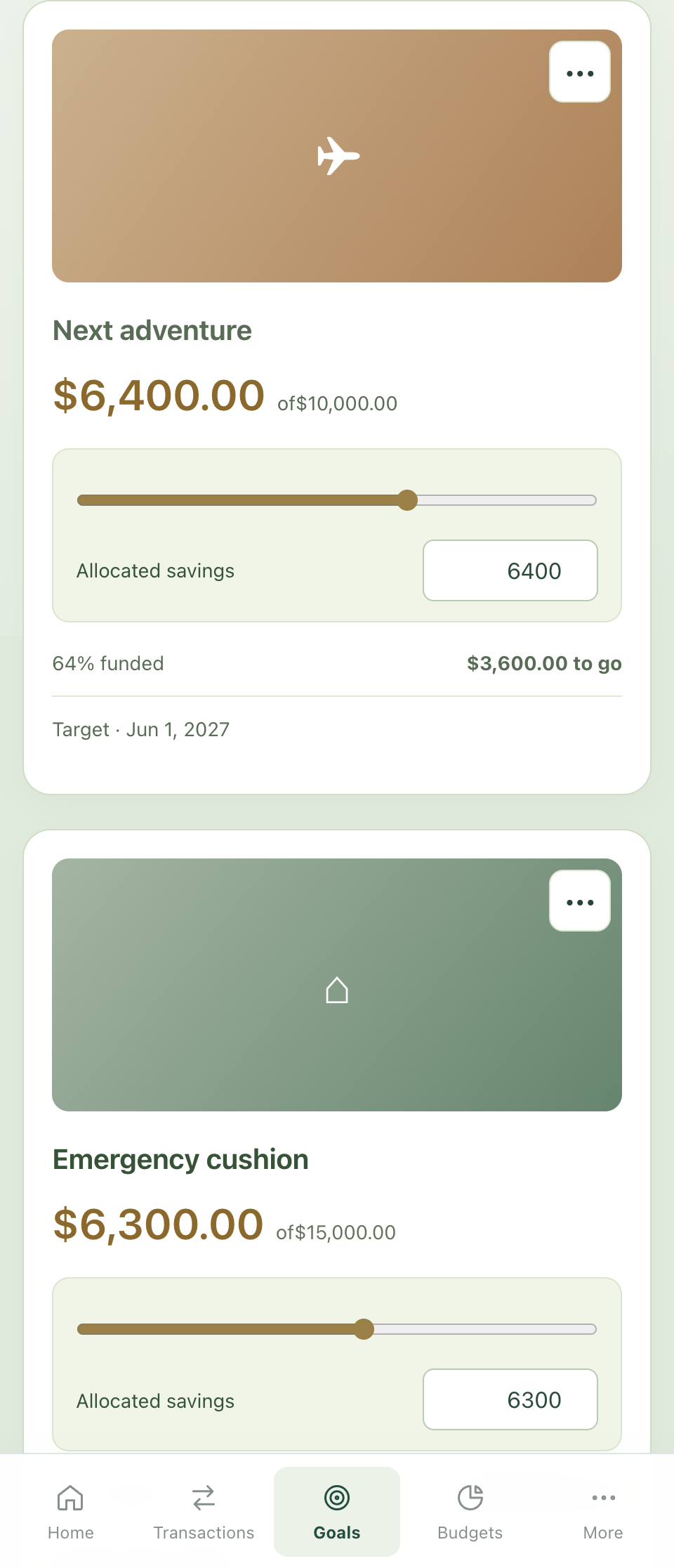
Screens show the actual app interface with illustrative data. Recognition can make mistakes or miss rows. Check dates, amounts and transaction types before import.
Import, review and track your money without an internet connection. Your photos and statements are processed on your device—not sent to a cloud OCR service.
Optional live exchange-rate updates require internet. Offline tracking does not. Protect your device and store exported backups securely.
On-device recognition keeps the import process local.
Track income, expenses, budgets and goals wherever you are.
Choose whether to keep original files in the app. Export a backup when you need one.
Your goals, in the app. Sample figures shown.
A trip you’ve been planning. A cushion for the unexpected. Give your savings a purpose and see your progress towards each goal.
Allocate savings, adjust your target and keep the next step in sight—all from the same place you track income and expenses.
Get to know PaceboardGive groceries, dining and other expenses their own budgets. Compare what you’ve spent with what you planned, and see the amount remaining in each category.
Income tells you what comes in. Budgets help you decide how much goes out—leaving room for your goals.
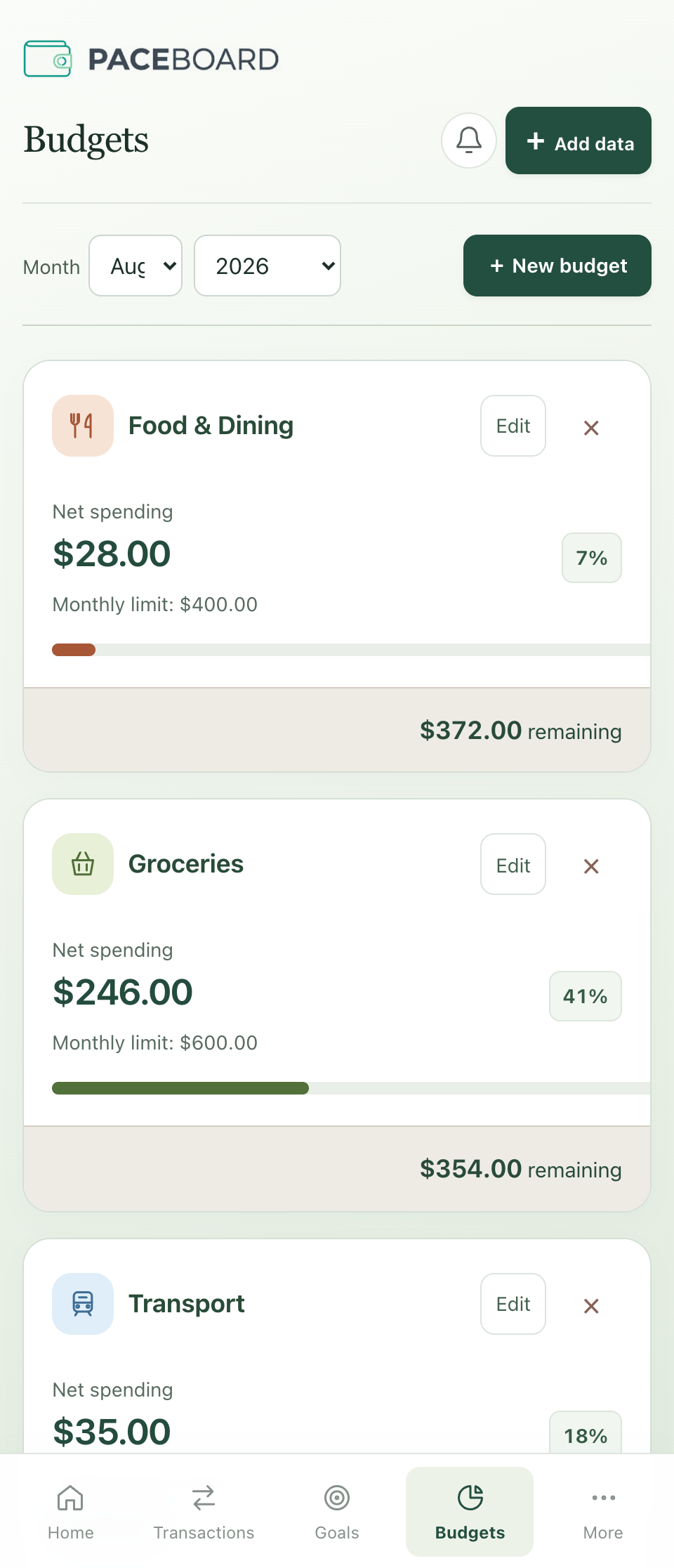
Category budgets in Paceboard. Sample figures shown.
Paceboard is being prepared for its iPhone beta.
No download is available yet. Watch this space.
No bank connection is needed for photo or statement imports. Choose the files to add, then review the recognised transactions.
No. Layouts and image quality vary. Always check dates, amounts, transaction types and missing rows before importing.
On-device import and money tracking work offline. Optional live exchange-rate fetching needs internet. This marketing website is separate from the app.
Paceboard is a product of Noble Rich Limited.